Enabling AWS Config
Introduction — AWS Config is one of my favorite AWS services, I highly recommend enablement of this service to get in governance for your AWS operations. It’s a service that enables you to assess, audit and evaluate your AWS Cloud resources.

With AWS Config, you can set basic configuration security requirements, detect configuration changes & integrate with other services to run remediation. It provided the ability to continuously assess, monitor & manage changes to your AWS recourses. I can imagine an ocean of use cases of AWS Config, however for this blog we are going to understand enabling AWS config for your account, managed AWS config rules and a custom Config rule for S3
Pricing : AWS Config pricing is based on number of resources, please go through the pricing model and estimate your cost before you implement it.
Step 0— Get started
You can opt for a 1-click setup but in this blog, I a going to talk about the normal path (Get Started button)
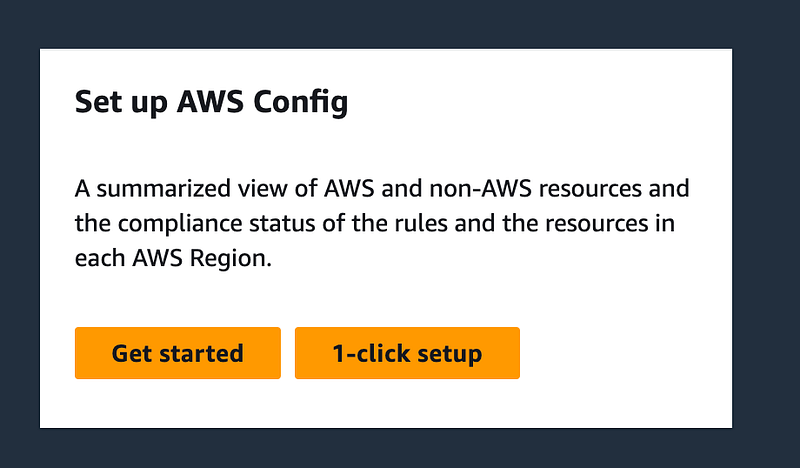
Step 1— Settings
Once you click on “Get Started” button
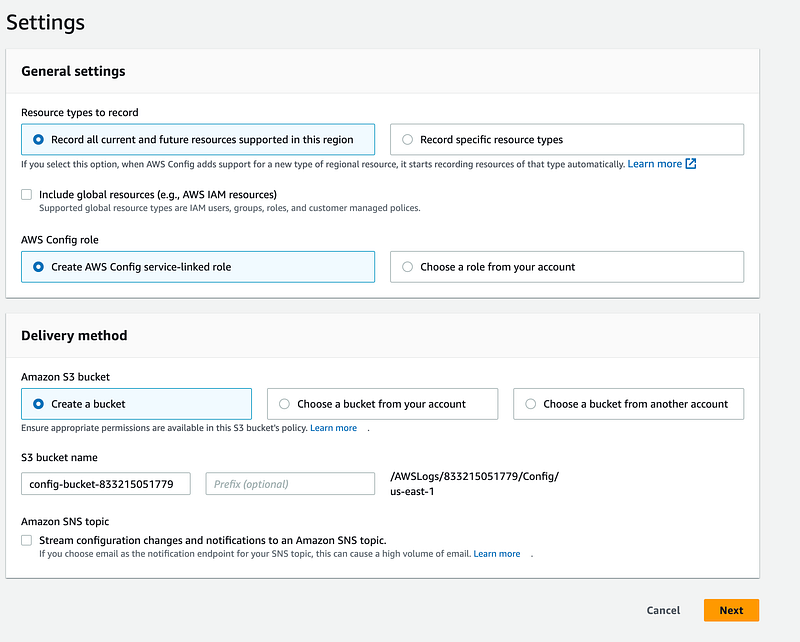
Resource type to record — You can select a type of resources that you want to audit or all of them
Delivery Method — User needs to select the appropriate AWS bucket to which it wants to deliver AWS Config logs. User can create a new bucket, choose one from existing account or from another account
Amazon SNS topic — You can enable SNS notifications to get alert for any AWS Config changes
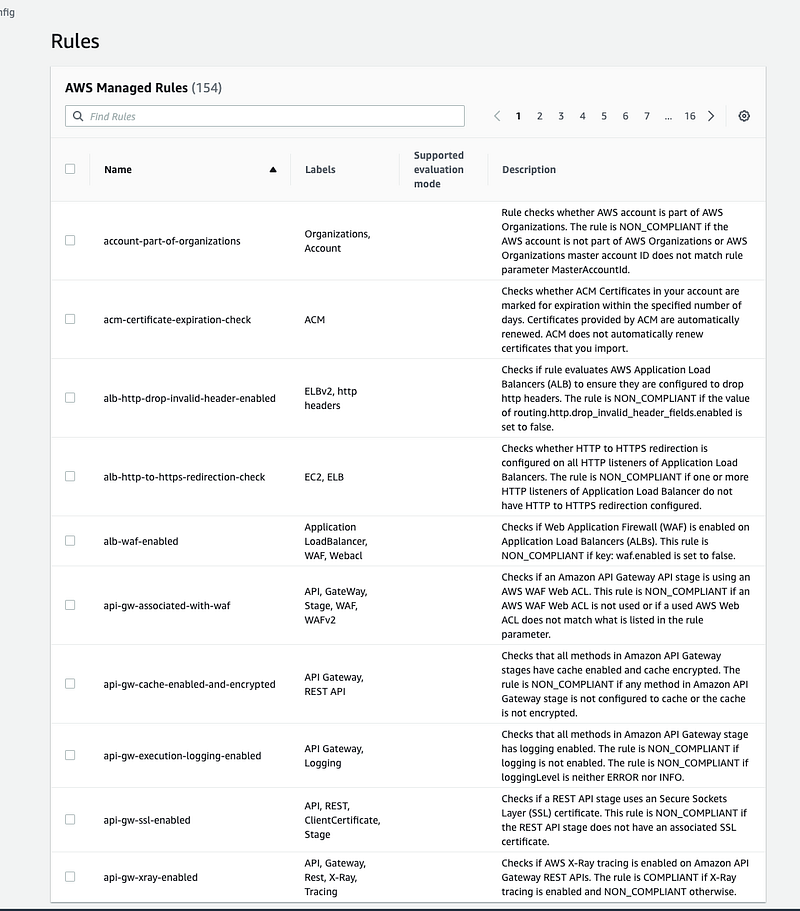
Step 2 — Selection of rules
Currently, there are 154 AWS Managed rules. You can select the ones you’d like to enable
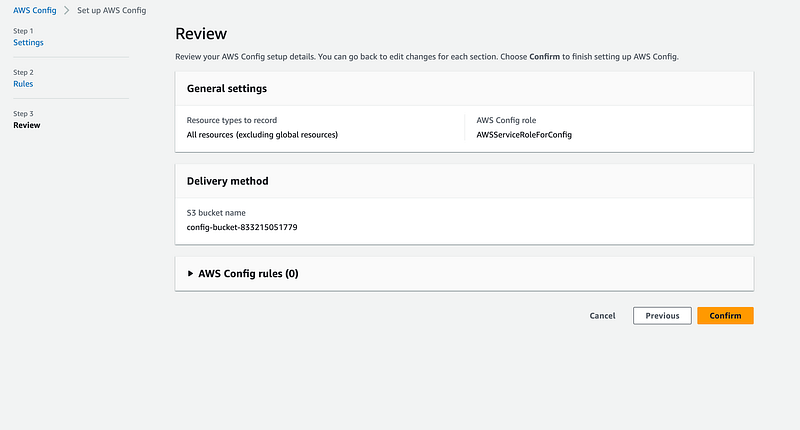
Step 3 — Review
There is a lot more that you can do with AWS Config, this is the tip of the ocean. Almost any AWS audit use case can be custom developed using AWS Config! Let me know in the comments which are your favorite AWS managed & custom AWS Config rules!