Getting started with Amazon Code Whisperer
Overview :
Amazon CodeWhisperer is a new program launched by Amazon to provide expert guidance and mentorship to developers and teams building applications. It acts as an AI coding companion and allows users to build applications faster.
Here are 5 steps through which you can get started with Amazon CodeWhisperer —
Step 1 : Open your VS Code
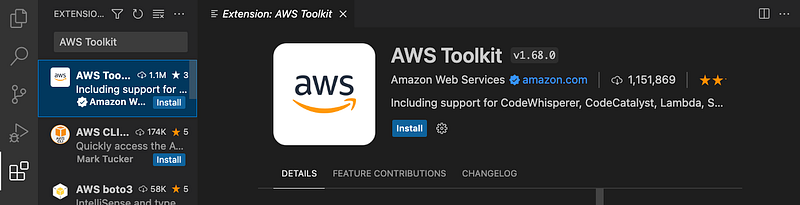
Step 2 : Download Extension
Under the “Extensions” tab search for “AWS Toolkit” & install the toolkit
Step 3: Complete Setup
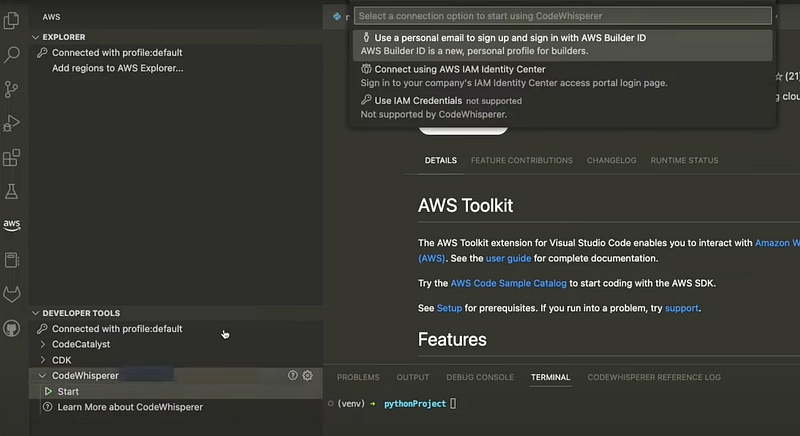
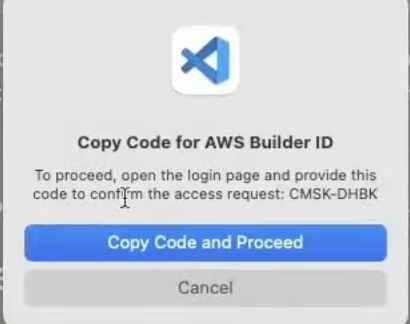
Go to the Toolkit and click on CodeWhisperer > Start. It will show 3 options — I am going to use the first one (Personal email id with AWS Code Builder). You will get an option to copy the code from VS
Step 4 : Community Builder ID
Copy paste the code and Sign in using your AWS Community builder ID.
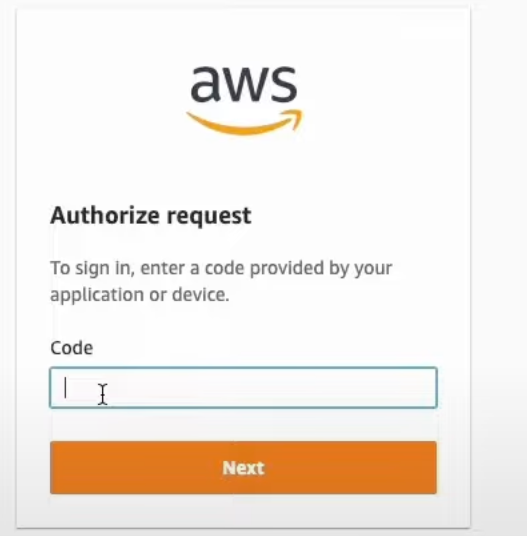
Step 5: Start coding
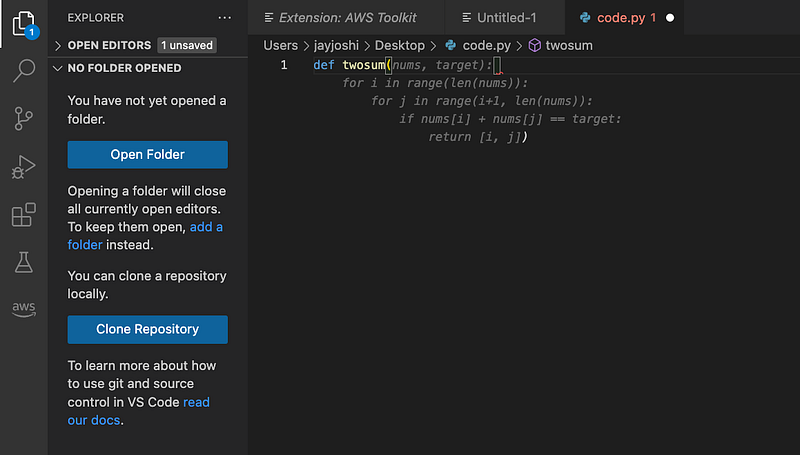
Create a new file. In my case, I am using python. Start typing and wait for recommendations to populate. See the example below for generating a code for sum of two integers. Hit “tab” to accept recommendations.
Happy Coding! Do you think AI generated code is the next big thing? Let me know in the comments below